> ## Documentation Index
> Fetch the complete documentation index at: https://docs.launchmc.com/llms.txt
> Use this file to discover all available pages before exploring further.
# LaunchMC Widget Implementation.
> This guide will help you setup LaunchMC's JS widget to show latency and connection IP within your Web page.
## Basic Implementation
Implement the widget by using the the code below in your site.
```html theme={null}
```
In **data-server** field change "your-server.launchmc.com" to yours.
## Customize the widget.
To customize the widget here are the following attributes.
| **Attribute** | **Default** | **Options** | **Description** |
| ---------------------- | ----------- | ------------------ | -------------------------------------------------------------------------------------------------- |
| **data-server** | *Required* | Your server domain | The LaunchMC server domain to test (e.g., "[myserver.launchmc.com](http://myserver.launchmc.com)") |
| **data-theme** | auto | dark, light, auto | Widget color theme. Auto detects based on page background |
| **data-initial-count** | 3 | 1-10 | Number of locations to show initially |
| **data-show-copy** | true | true, false | Show copy-to-clipboard buttons for server IPs |
| **data-compact** | false | true, false | Use compact layout for smaller spaces |
| **data-auto-refresh** | 0 (off) | Seconds | Auto-refresh interval in seconds (0 = disabled) |
**CORS Notice:** The widget makes cross-origin requests to fetch latency data. Make sure your website allows this or use the iframe method for maximum compatibility.
## Example code for JS widget customizations
Below is an example on how to use the JS widget with the custom options. As mentioned above.
```html theme={null}
```
## Iframe Integration
You can additoanlly use iframe to integrate the widget into your site. Using the code below.
```html theme={null}
```
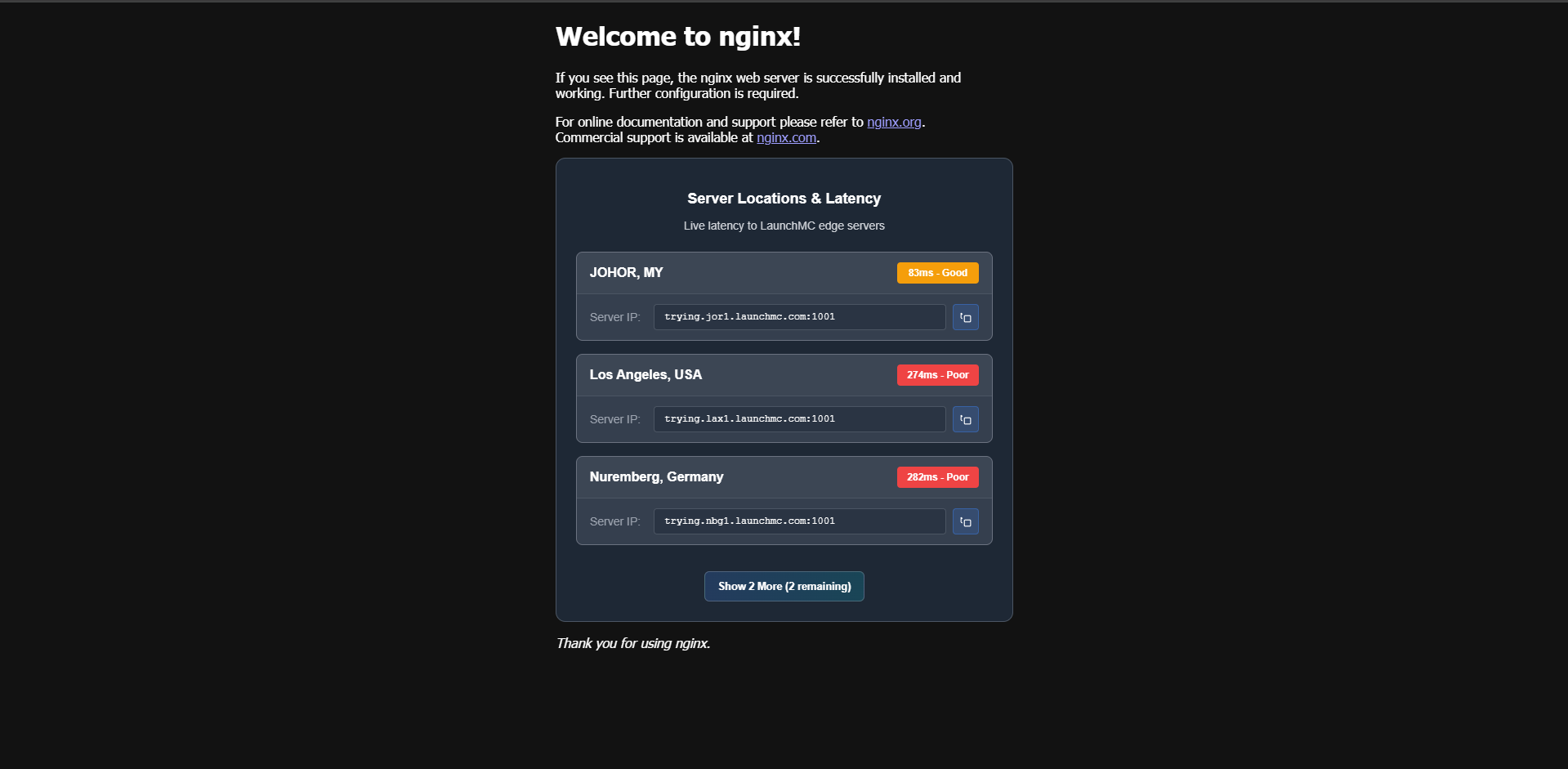
## Image Example
Below is an example of how the widget looks on a default nginx site.
 **Need help?** Join our [discord ](https://discord.launchmc.com)for support.