> ## Documentation Index
> Fetch the complete documentation index at: https://docs.launchmc.com/llms.txt
> Use this file to discover all available pages before exploring further.
# Using your custom domain with LaunchMC.
> This guide will help you setup SRV records for your domain allowing you to use your own custom domain.
## Setting up your SRV record.
To setup your SRV record on your domain, visit your DNS management provider.\
In our example we are using Cloudflare's DNS Manager.
1: Add a new record with SRV as type.
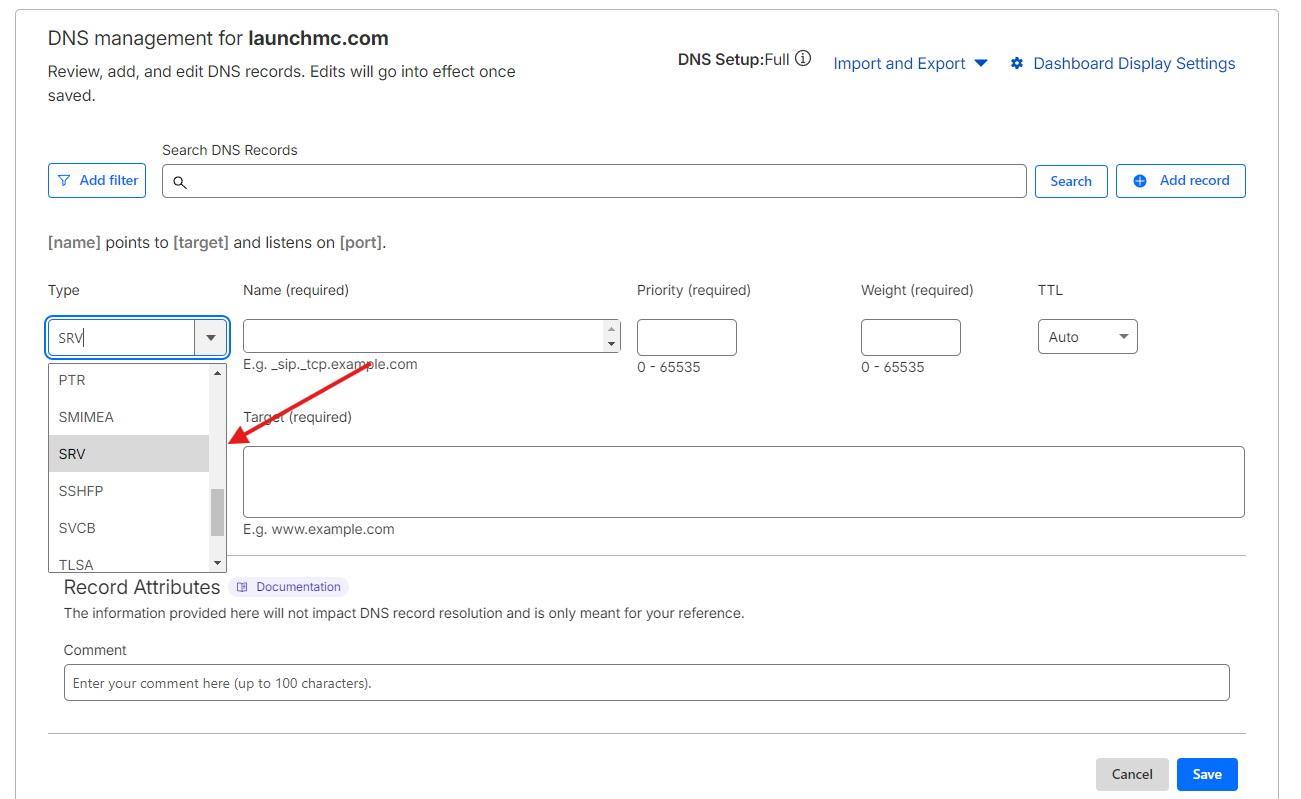 2: Fill out the necessary fields for SRV record.
1. **Name**-> in **Name** field you can add your service name and subdomain, where \_minecraft.tcp is the service paramaters and .play is your subdomain of choice.
2. **Port** -> in **Port** field please add your LaunchMC connection port, for example 1002, you can find it on server overview as show in image below.
2: Fill out the necessary fields for SRV record.
1. **Name**-> in **Name** field you can add your service name and subdomain, where \_minecraft.tcp is the service paramaters and .play is your subdomain of choice.
2. **Port** -> in **Port** field please add your LaunchMC connection port, for example 1002, you can find it on server overview as show in image below.
 3. **Target** -> in Target field you either add our global IP which route based on GeoDNS as global.launchmc.com or you can manually run latency tests and pick a specific location by going on the connection page. For the image above our link for connection page is **testset.launchmc.com.**
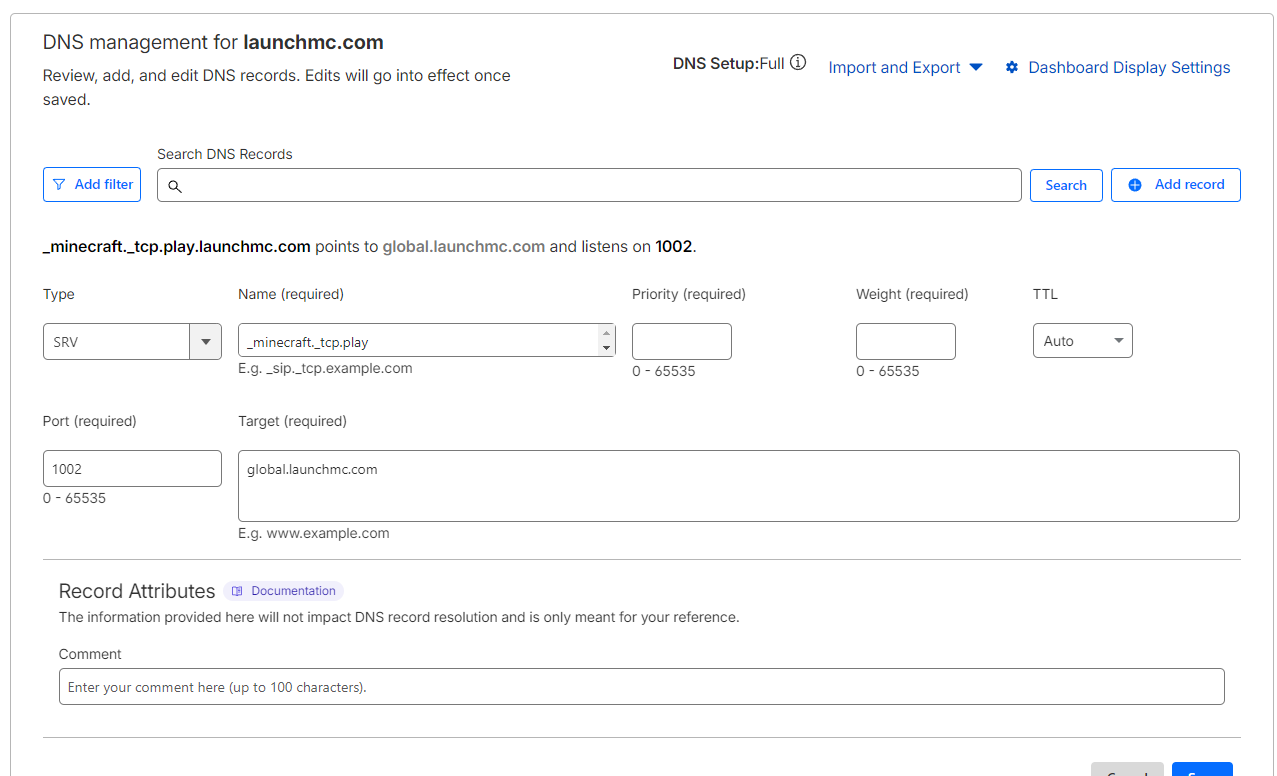 Thats it! your SRV record will now work as intended!
**Need help?** Join our [discord ](https://discord.launchmc.com)for support.
Thats it! your SRV record will now work as intended!
**Need help?** Join our [discord ](https://discord.launchmc.com)for support.